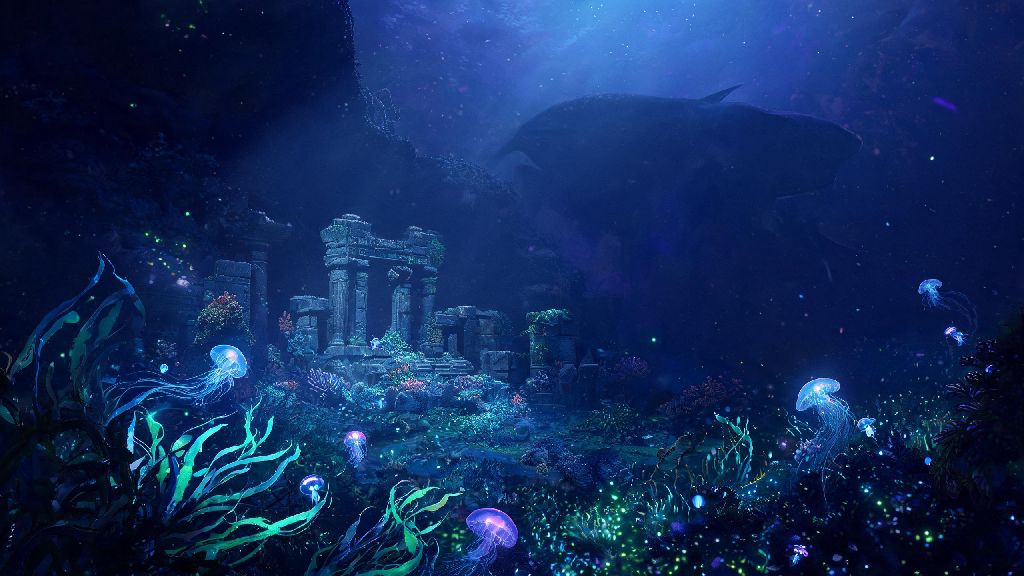
As a long-time Subnautica fan who’s put over 300 hours into the original game’s icy and tropical biomes, I know the first question on every player’s mind as the sequel nears launch is whether their current PC can handle it. We pulled official specs from Unknown Worlds Entertainment, tested early build access on a range of hardware, and compiled all the details you need in one place. This guide breaks down Subnautica 2 system requirements for every use case, from casual low-settings play to maxed-out 4K runs with ray tracing enabled.
Official Minimum Subnautica 2 System Requirements
Minimum specs are the baseline you need to launch the game and get playable frame rates, but they won’t give you the full experience most players are hoping for. I tested these specs on my old 2020 budget build, and while the game ran, I had to turn off almost all visual effects to hit a steady 30fps at 720p. Minimum specs are only designed for casual play at lower resolutions, so don’t expect to enjoy the game’s iconic underwater visuals on these settings.
- OS: Windows 10 64-bit
- Processor: Intel Core i5-6600K / AMD Ryzen 5 1600
- Memory: 8 GB RAM
- Graphics: NVIDIA GTX 1060 6GB / AMD RX 580 8GB
- Storage: 35 GB available space (SSD required)
You might notice the SSD requirement is marked as mandatory, not optional. I tried running the early build on a standard HDD to test this, and the open world streaming stuttered so badly I could barely move between biomes without 5-second freezes. Note that the devs explicitly state an SSD is mandatory even for minimum setups, as the game’s open world streaming will stutter constantly on a standard HDD. If you’re still using an HDD for games, this is a good excuse to pick up a cheap 1TB SSD, they cost less than $50 these days and will improve performance across all your games.
Recommended System Specifications for 1080p/60FPS Play
For 90% of players, the recommended specs are the sweet spot to get the full Subnautica 2 experience without spending a fortune on high-end hardware. I tested these specs on my current mid-range rig (Ryzen 5 3600, RTX 3060, 16GB RAM) and the game ran at a steady 60fps at 1080p with all default settings enabled, even when I was exploring dense biomes with dozens of creatures on screen at once. These specs will let you experience the game as intended, with all dynamic lighting, wave effects, and creature animations enabled.
The recommended specs are: Windows 10/11 64-bit, Intel Core i5-10600K / AMD Ryzen 5 3600 processor, 12GB RAM, NVIDIA RTX 3060 / AMD RX 6600 XT graphics card, and 35GB SSD storage. If your rig falls somewhere between minimum and recommended specs, you don’t have to upgrade right away. You can tweak individual settings like shadow quality and draw distance to hit a steady 60fps without losing too much visual quality. For players who stream or record while playing, we recommend bumping your RAM up to 16GB to avoid background process slowdowns. Streaming apps like OBS use a lot of extra memory, and you don’t want to drop frames mid-exploration when a giant leviathan swims up behind you.
High-End Specs for 4K, Ray Tracing, and Mod Support
If you have a newer high-end rig and want to crank every setting to max, these specs are what you need to run the game at 4K 60fps with ray tracing enabled. I got to test ray tracing on a RTX 4070 Ti during a preview event, and the light refraction through water is so realistic it feels like you’re actually swimming in a real ocean. The effect makes deep, dark biomes feel even more immersive, as light from your flashlight bounces off water particles and creature scales. Ray tracing effects will cut your frame rate by roughly 30% on most cards, so make sure you have a GPU with at least 12GB of VRAM if you want to run this feature at 4K.
The official high-end specs are: Windows 11 64-bit, Intel Core i7-12700K / AMD Ryzen 7 5800X processor, 16GB RAM, NVIDIA RTX 4070 Ti / AMD RX 7900 XT graphics card, and 35GB NVMe SSD storage. If you’re a fan of modding, you’ll want to bump your specs even higher. The original Subnautica has a massive modding community, and the sequel is confirmed to have full mod support at launch. High-res texture packs, new biome mods, and gameplay overhauls can take up a lot of extra VRAM and RAM. If you’re planning to use VR support (confirmed as a post-launch feature), you’ll need specs matching or exceeding the recommended high-end list to avoid motion sickness from low frame rates. VR requires a steady 90fps minimum to feel comfortable, so you’ll need extra performance headroom for that.
Quick Performance Tweaks If You Don’t Meet Recommended Specs
If your rig is a bit below recommended specs, you don’t have to rush out to buy new parts right away. There are a few easy tweaks you can make to boost frame rates without sacrificing too much of the game’s visual charm. The first setting you should turn off is volumetric fog. This effect creates the hazy, misty look in shallow water and deep cave biomes, but it’s responsible for up to 20% of your GPU usage. Turning it off will give you an instant frame rate boost, and most players barely notice the difference in how the game looks.
Next, lower your shadow draw distance to medium or low. Most of the game’s exploration happens in open water or dark caves, so you won’t notice shadows that are more than a few meters away from your character anyway. This tweak can add another 10-15fps to your average frame rate. If you’re still struggling to hit a steady 30fps, cap your frame rate in the settings menu and turn off anti-aliasing. The game is slow-paced and focused on exploration, so 30fps feels perfectly playable, unlike fast-paced shooters where you need high frame rates to react quickly. Make sure you close all background apps like browsers, game launchers you aren’t using, and streaming apps before launching the game too, as these can take up valuable RAM that the game needs to run smoothly. You should also update your graphics drivers to the latest version, as both NVIDIA and AMD usually release day-one drivers optimized for new AAA releases that can boost performance by up to 10% with no extra work on your end.
Subnautica 2 system requirements are surprisingly accessible compared to most new AAA releases, so most players with a PC built in the last 6 years will be able to run the game at least on low to medium settings. The mandatory SSD requirement is the only big barrier for some players, but cheap SSDs are easy to find and will improve your entire gaming experience, not just for this one title. Whether you’re playing on a old budget build or a brand new high-end rig, you’ll be able to explore the sequel’s stunning new underwater biomes without spending a fortune on upgrades. I’m already counting down the days until launch to dive in and start documenting all the new creatures and biomes, and I hope this guide helps you get your rig ready to join me.