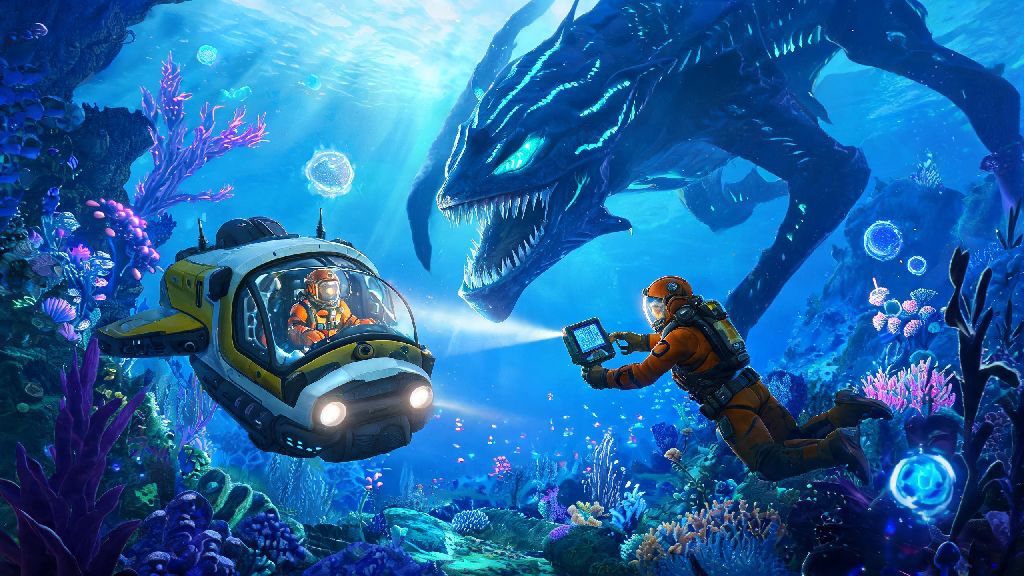
There’s nothing quite like floating through the bioluminescent waters of 4546B, dodging Reaper Leviathans and scavenging for resources to build your underwater base. But after a dozen or so solo playthroughs, most players start wondering how to bring a friend along for the ride. If you’ve been searching for how to play 2 player on Subnautica, you’re not alone. The game doesn’t have official native multiplayer support, but a dedicated modding community has created a stable, easy-to-use solution that lets you explore the alien ocean with a second player. This guide covers every step of the process, from initial setup to fixing common glitches, so you can jump into co-op without wasting hours troubleshooting.
How to Play 2 Player on Subnautica: Full Setup Walkthrough
First, let’s get one thing out of the way: you and your co-op partner will both need a legitimate, up-to-date copy of Subnautica to make this work. Pirated copies or outdated game versions almost always fail to connect, even if you follow every other step correctly. The most reliable mod for 2 player Subnautica is called Nitrox, which has been in development for years and supports nearly all core game features, including base building, creature spawning, and story progression.
Back up your existing single-player save files first before you install any mods. I learned this the hard way a few years back when a faulty mod install wiped my 40-hour save where I’d just unlocked the Cyclops. You can find your save files in your Steam or Epic Games save folder, just copy the entire folder to your desktop before you start.
The setup process takes less than 10 minutes for both players. First, download the latest version of the Nitrox installer from the official mod page. Run the installer, and when prompted, point it to your Subnautica installation folder (the installer will usually find it automatically for Steam or Epic copies). Once installed, launch Subnautica through the Nitrox launcher instead of your usual game library. If you’re the host, select “Multiplayer” from the main menu, click “Create Room”, set a password if you want, and load your save or start a new one. If you’re the joining player, select “Multiplayer”, enter the host’s IP address or shared room code, input the password if needed, and you’ll load into their world within a minute.
One non-negotiable rule here: both players must have the exact same version of Nitrox and Subnautica installed. If one of you has an automatic update enabled and the other doesn’t, you won’t be able to connect, so double check versions before you try to join.
Key Settings to Tweak for Smooth 2 Player Subnautica Gameplay
Even if you run Subnautica at 120 FPS in single player, you might notice stutters or lag in 2 player mode, since the game wasn’t built to handle multiple players at once. A few quick setting tweaks will make your playthrough run smoothly, even if one of you has a lower-end PC.
Adjust render distance for lower-end PCs first. Most players run render distance at maximum in single player, but dropping it to medium or low for both players cuts down on performance overhead drastically, and you won’t even notice a difference in most biomes. You can also turn off unnecessary post-processing effects like motion blur and depth of field to free up even more resources.
Enable server-side saving for the host in the Nitrox room settings before you start playing. This means all save data is stored on the host’s device, which eliminates conflicting save files that can cause missing base pieces or lost items when you reload a session. You should also agree to only save the game when the host initiates it, to avoid overwriting data.
If you’re playing with someone who’s not on the same local network as you, you have two options for connectivity. You can either set up port forwarding on your router for the port Nitrox uses (default is 11000), or use a free virtual LAN tool like Hamachi if you don’t want to mess with router settings. I’ve used both, and Hamachi is usually faster for casual play sessions with friends.
Here are a few more quick tweaks to avoid common headaches:
Fun 2 Player Subnautica Playthrough Ideas to Try
Once you’ve got your co-op session up and running, you can just follow the normal story path if you want, but adding a few small rules or role assignments makes the experience way more fun than just replicating the single player loop with two people. I’ve tested a ton of different playthrough styles with friends, and these are the ones that stuck.
Assign roles early to avoid wasting time on duplicate tasks is my number one tip for a low-stress playthrough. You can split roles however you want, but the most common split is one player as the explorer and one as the builder. The explorer focuses on scouting new biomes, collecting rare resources like nickel and kyanite, and unlocking new blueprints, while the builder stays close to base, builds out new rooms, farms food and water, and crafts tools and vehicles for the pair. When I played with my friend last year, we used this split and beat the story in half the time it took me to beat it solo.
If you want more of a challenge, try a 2 player hardcore run. Hardcore mode deletes your save if either player dies, so you’ll have to work together to watch each other’s backs, especially when exploring dangerous areas like the Lost River or Lava Zone. You can add extra rules like no Cyclops allowed, or only using the Seamoth for exploration, to make it even harder.
Another fun idea is a base building contest. Set a timer for two hours, split off to separate parts of the map, and see who can build the most creative, functional base with the resources they scavenge in that time. You can vote on winners based on design, functionality, and how many dangerous areas the builder had to explore to get their materials. It’s a great way to mess around if you don’t feel like following the main story.
Common 2 Player Subnautica Issues and Quick Fixes
Even with the latest version of Nitrox, you might run into a few small issues while playing 2 player Subnautica. Most of these have simple fixes, so you don’t have to abandon your playthrough if something goes wrong.
Random mid-game disconnections are the most common issue people run into. If this happens, first check that both of you still have the same Nitrox and Subnautica versions installed, since automatic updates can sometimes run in the background without you noticing. If versions match, check that the host’s firewall isn’t blocking Nitrox, and switch to a wired internet connection if either of you is on Wi-Fi. If you’re using Hamachi, restarting the Hamachi server usually fixes disconnections right away.
Missing items or base pieces after reloading a save is another common complaint. This almost always happens when both players hit the save button before exiting the session, leading to conflicting save data. To fix this, make sure only the host ever saves the game, and wait for the host to fully load into the world before the second player joins. If you already have missing pieces, you can usually restore them by loading an earlier backup of the host’s save file.
Creatures behaving weirdly or not spawning at all is a known minor bug with Nitrox, especially for Leviathan class creatures. If you notice Reapers or Ghost Leviathans aren’t moving or spawning correctly, just have the host restart the room and reload the save. The latest Nitrox updates have fixed 90% of these creature bugs, so you’ll only run into this rarely.
One last issue: if you’re playing on Below Zero instead of the original Subnautica, note that Nitrox support for Below Zero is still in early access, so you’ll run into way more bugs. For the most stable 2 player experience, stick to the original Subnautica for now.
Exploring 4546B alone is a magical experience, but sharing the thrill of finding a new biome or narrowly escaping a Reaper Leviathan with a friend makes it even better. While Subnautica doesn’t have official multiplayer support, following the steps in this guide makes it simple to figure out how to play 2 player on Subnautica without any complicated technical work. Just remember to back up your saves, match your mod versions, and don’t be afraid to mess around with custom playthrough rules to make the experience your own. There’s a whole alien ocean waiting for you and your co-op partner to explore.