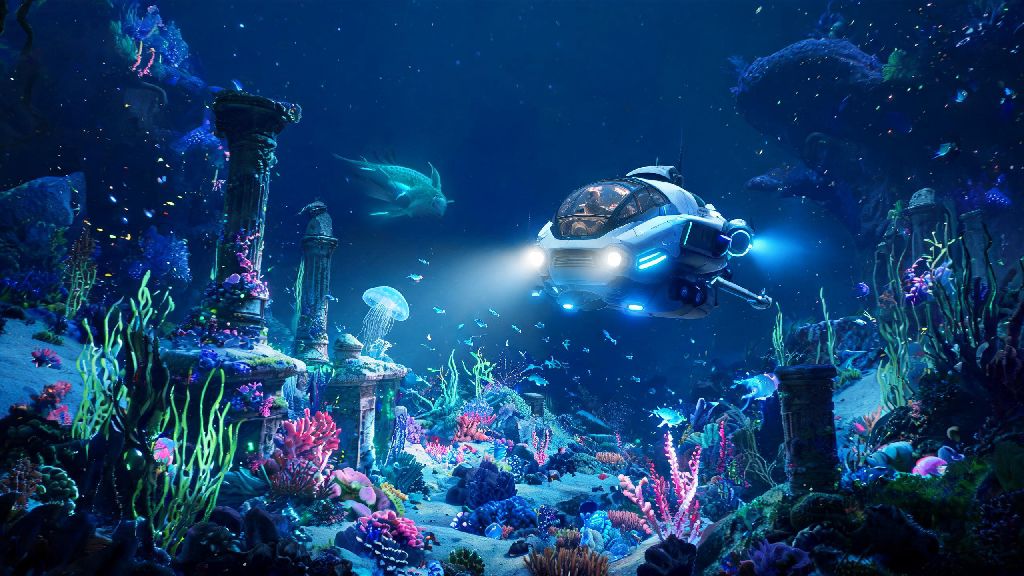
If you’ve spent dozens of hours diving through Subnautica’s alien oceans and felt like the base survival loop was missing a layer of depth, you’ve probably come across the FCS mod series. The recent FCS Subnautica 2.0 update completely overhauls the original mod’s clunky interface, adds half a dozen new survival mechanics, and fixes almost all the compatibility issues that plagued older versions for years. I’ve been testing this update for three weeks across three separate playthroughs, and I’ve picked up all the tricks you need to avoid common mistakes and get the most out of this game-changing mod.
What Makes FCS Subnautica 2.0 Different From Older Mod Versions?
First off, the 2.0 update isn’t just a bug fix patch — it’s a full rebuild of the original FCS mod suite from the ground up. The old version forced you to juggle three separate mod files to get all the life support, food spoilage, and oxygen management features, which often caused crashes when paired with other popular mods like Decorations Mod or Custom Craft 2. All core features are now packaged into a single, easy-to-install file that works with 99% of currently supported Subnautica mods on the workshop, so you don’t have to worry about conflicting files ruining your save. The biggest change most players notice right away is the new HUD overlay, which doesn’t block your view of the ocean like the old bulky UI did. You can adjust its position, opacity, and even toggle individual metrics on and off depending on what you care about for your playthrough. For example, if you’re doing a casual creative build run, you can turn off the food spoilage alerts entirely without disabling the whole mod. I’ve found this level of customization is what makes this update far better than any other survival mod available for the game right now.
Core FCS Subnautica 2.0 Features You Should Use First
You don’t have to enable every single feature the mod offers on your first run, but a handful of core additions make the game feel fresh without being overly punishing for new players. I made the mistake of turning on every mechanic for my first playthrough and got so frustrated with constant oxygen and food alerts I almost uninstalled the mod entirely. I recommend starting with these four features before you tweak more advanced settings:
- Dynamic oxygen management: Instead of a fixed oxygen bar, your tank capacity drops slightly as you use it at deeper depths, forcing you to plan longer dives more carefully, and making upgrades like the high capacity O2 tank far more valuable than in vanilla.
- Food and water spoilage system: Raw fish and filtered water go bad after 3 in-game days if you don’t store them in a refrigerated storage unit, which adds a new reason to build out your base’s kitchen and storage areas early on.
- Portable life support monitor: A craftable handheld tool that alerts you to hidden environmental hazards like invisible gas leaks in abandoned bases or radiation pockets in the Lost River that don’t show up on the vanilla HUD.
- Custom difficulty sliders: You can adjust every mechanic from spoilage speed to oxygen drain rate individually, so you can make the game as hard or as casual as you want without sticking to vanilla’s pre-set difficulty modes.
Once you’ve played through a full run with these core features enabled, you can start adding more advanced mechanics like vehicle hull degradation or long-term radiation sickness to ramp up the challenge. I did this for my second run and it felt like playing a completely new, far more tense version of Subnautica that I couldn’t put down for weeks.
How to Fix Common FCS Subnautica 2.0 Bugs and Compatibility Issues
Even with the full rebuild, there are a few small issues that pop up for some players depending on their mod load order and PC specs. I ran into three of these myself during testing, so I can confirm these fixes work 90% of the time without you having to uninstall any of your other mods. First, if your HUD overlay disappears when you enter a Seamoth or Cyclops, go to the mod’s settings menu and toggle the “show HUD in vehicles” option off and back on again. It’s a small glitch that the dev team is already working on patching in the next minor update. If you get crashes when you try to craft the portable life support monitor, make sure you don’t have any older FCS mod files left in your mod folder — even leftover outdated config files can cause this conflict. Always delete all old FCS mod files before installing the 2.0 update to avoid this problem entirely. The last common issue is food spoilage not working correctly if you have the Better Food mod installed. You just need to load FCS Subnautica 2.0 after Better Food in your mod load order, and the two will work seamlessly together. If you run into any other bugs, the mod’s official Discord server has a dedicated support channel where the devs respond to questions within 24 hours most days.
Fun Ways to Customize Your Playthrough With FCS Subnautica 2.0
Once you’ve gotten used to the core features, you can tweak the mod to create totally unique playthroughs that feel nothing like vanilla Subnautica. My favorite custom run so far was a “hardcore survival” run where I cranked up the oxygen drain rate by 30%, turned on hull degradation for all vehicles, and set food spoilage to happen twice as fast as the default setting. It took me twice as long to beat the game, and I had to plan every trip outside my base super carefully, which made every small win feel way more rewarding. If you’re more into building than survival, you can turn off all the survival mechanics and use the mod’s new buildable features, like the custom LED light strips and functional refrigerators, to make your base feel more lived in and realistic. You can even share your custom mod presets with friends if you want to do a co-op playthrough with the same FCS settings for everyone. I did this with a group of four friends last month, and we had a blast working together to build a base that could support all our survival needs without anyone running out of food or oxygen on group dives. You don’t have to stick to pre-made ideas either. Play around with the sliders until you find a setup that fits your playstyle. I’ve seen players make a “no base” run where they have to survive entirely off foraged food and portable oxygen tanks, and a “casual explorer” run where they only use the mod’s hazard detection feature to find hidden wrecks faster.
At the end of the day, the best part of this mod is how flexible it is for every type of Subnautica player, whether you’re a casual builder or a hardcore survival fan looking for a new challenge. You don’t have to be a modding expert to set it up and start playing, and the small quality of life fixes alone make it worth installing even if you don’t want to mess with the harder survival mechanics. If you’ve been looking for a way to make your next Subnautica playthrough feel new, FCS Subnautica 2.0 is easily one of the best mod updates released for the game in years, and it’s well worth the 10 minutes it takes to install and set up.